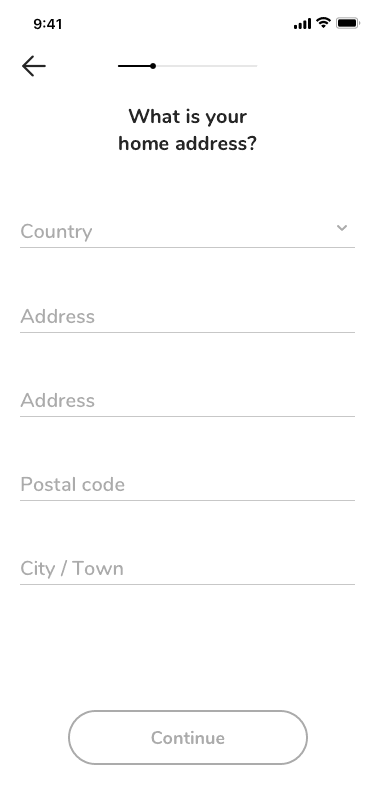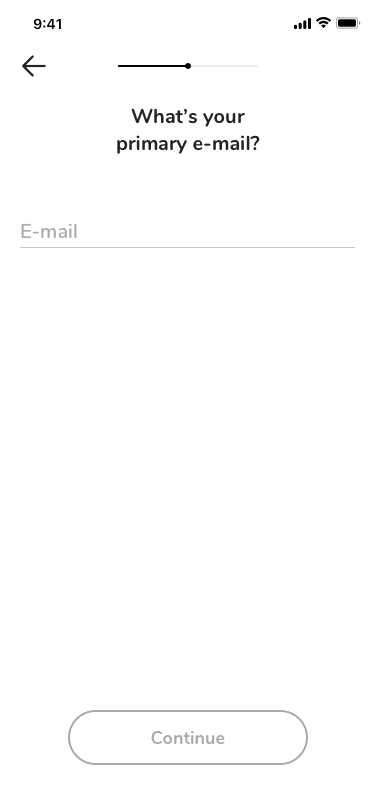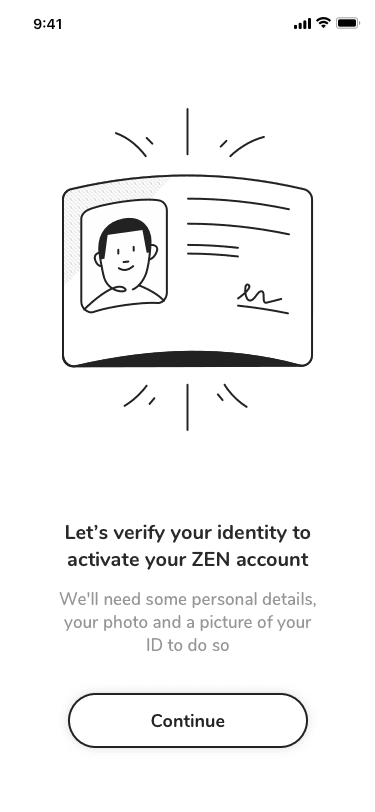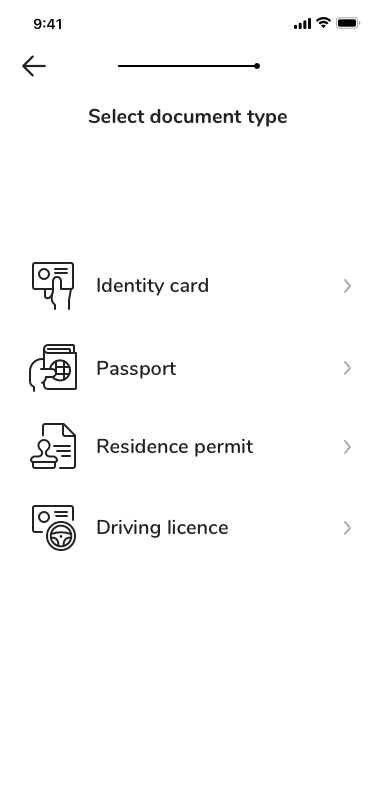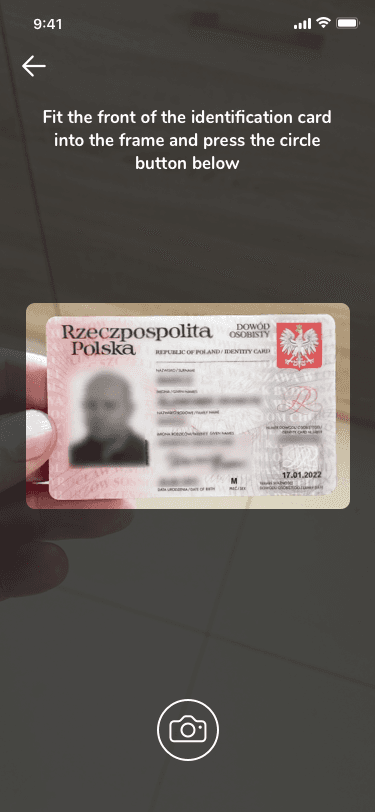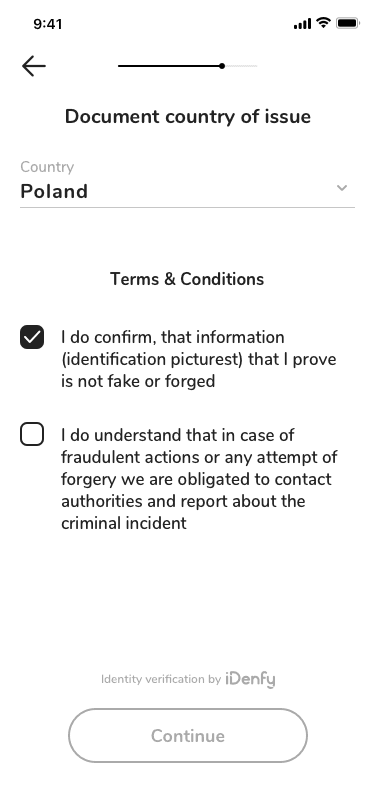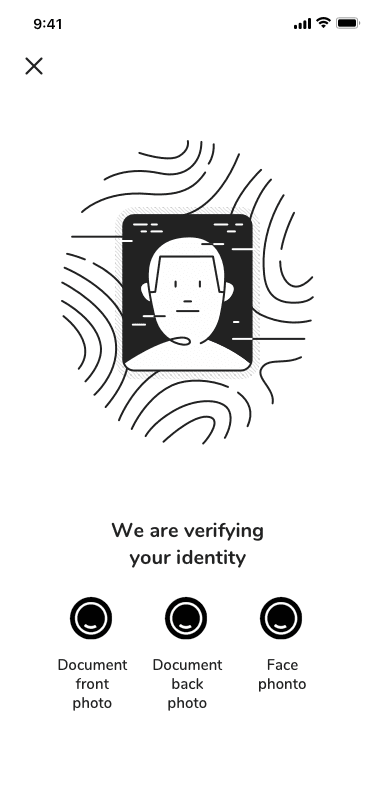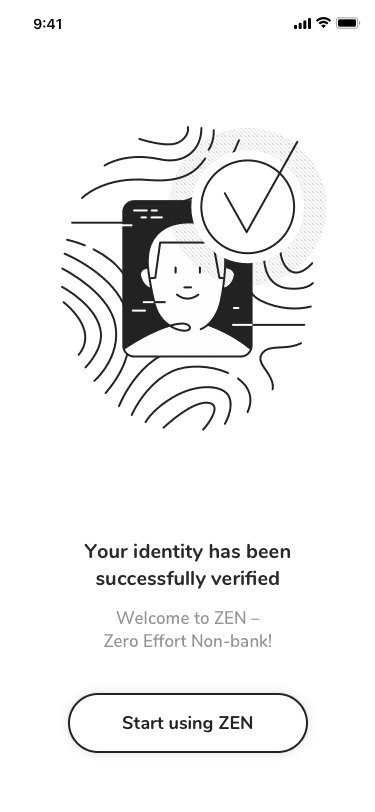
Business banking without borders

Role: UX/UI Designer (70% / 30%)
Status: In progress
Project Type: Simplifying global payments for businesses
Scope: End-to-end user journeys, financial dashboards, real-time payments
Tools Used: Sketch, Notion, Miro, Maze, Hotjar, Google Analytics
Team: Product Owner, Front-end Developer, Back-end Developer
Deliverables: Hi-fi prototype of the PL-market homepage, Component library
Context

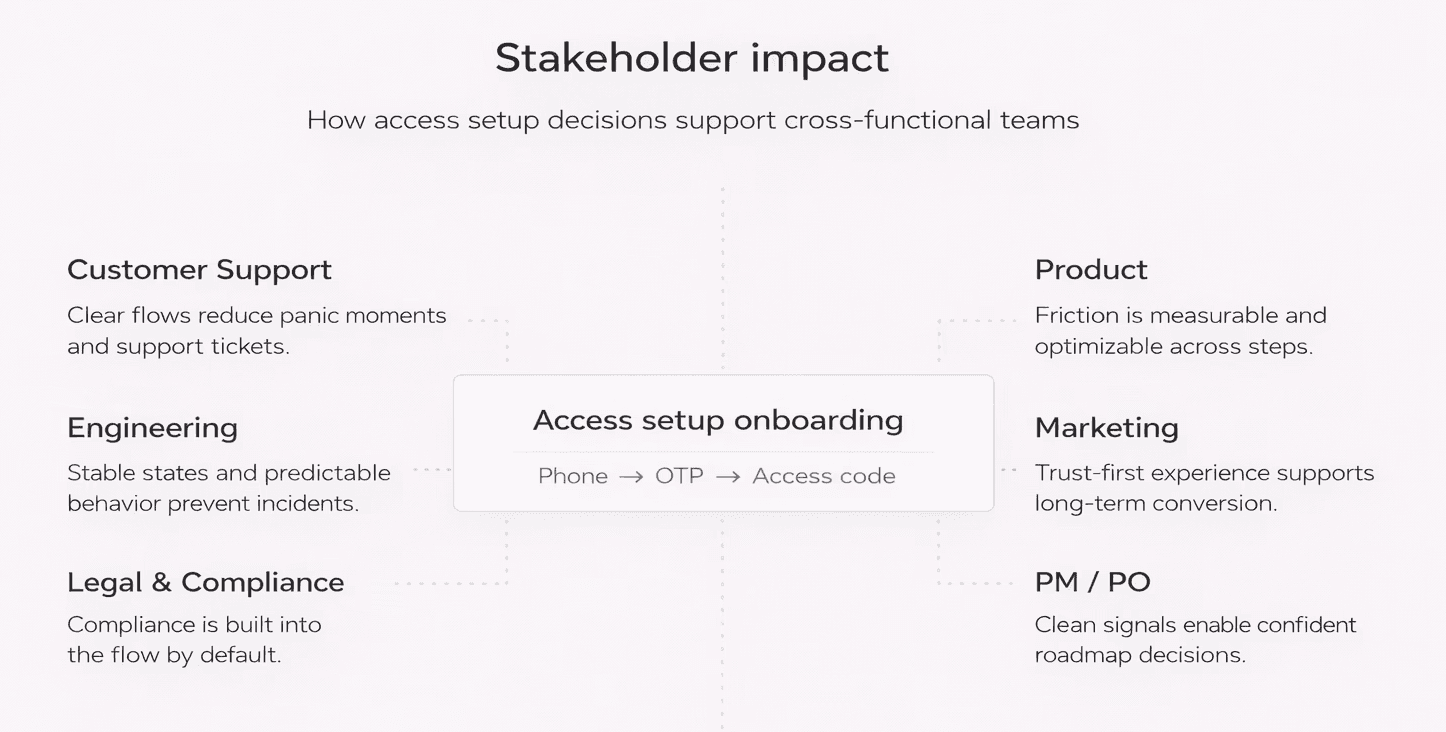
Business users need to set up account access quickly, but the process often involves sensitive data such as phone numbers, one-time passwords, and personal access codes.

The challenge was to design an onboarding flow that feels secure, calm, and trustworthy, while remaining fast and easy to complete on mobile.

Key problems to solve:

• Users are asked to provide sensitive data early in the onboarding
• OTP flows introduce uncertainty and waiting time
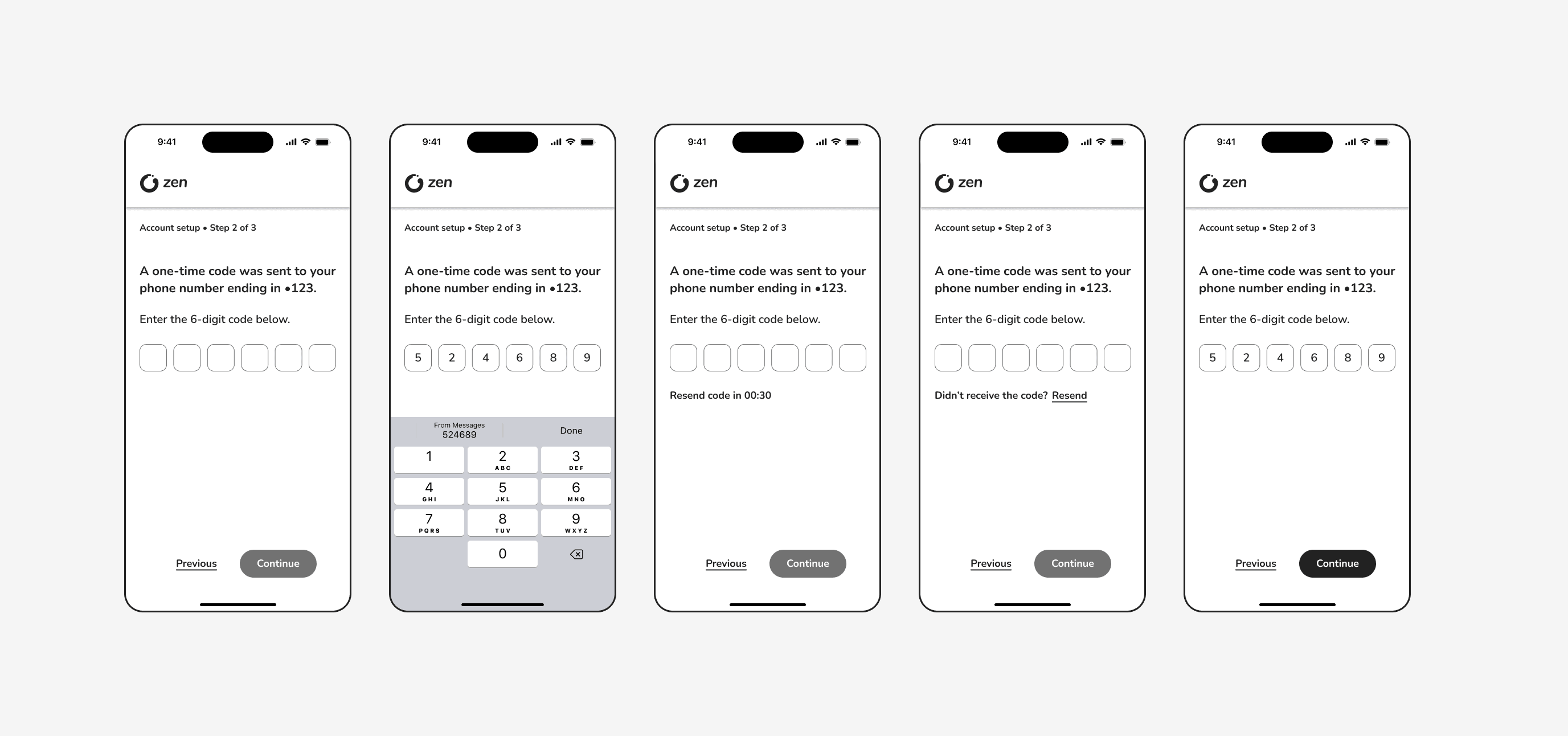
• Mobile keyboards reduce available screen space
• Business users expect clarity, not persuasion
• The flow must meet accessibility and compliance requirements

Competitive & User Audit

Competitive & User Audit. We peered over the fintech fence at Revolut, Wise, and Payoneer. Their layout formula? Hero → Key Benefit → Social Proof

Build instant trust: License badges, press logos, encryption icons = the tuxedo of UX credibility.

Goal

Design a mobile onboarding flow that:

• securely verifies the user’s identity,
• clearly explains each step without overwhelming the user,
• meets WCAG 2.1 AA accessibility standards,
• feels appropriate for an enterprise financial product.

Access setup flow

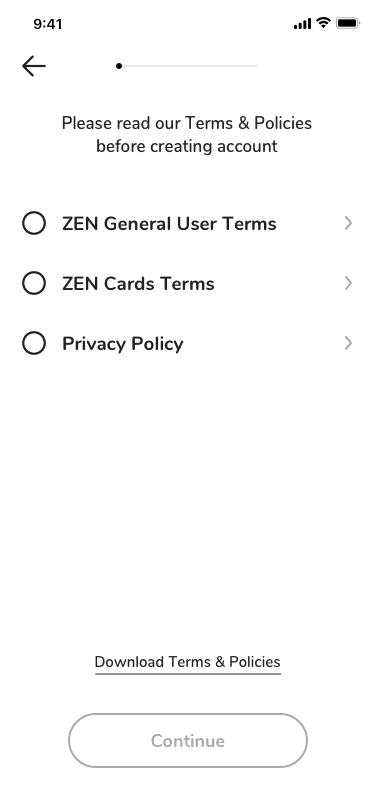
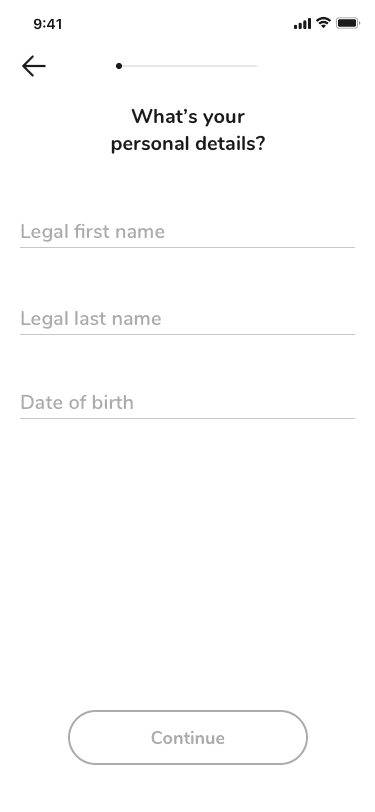
The access setup consists of four stages:

1. Welcome screen.

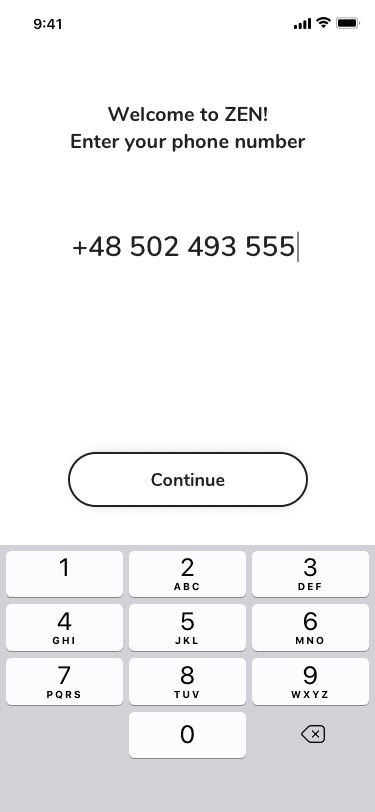
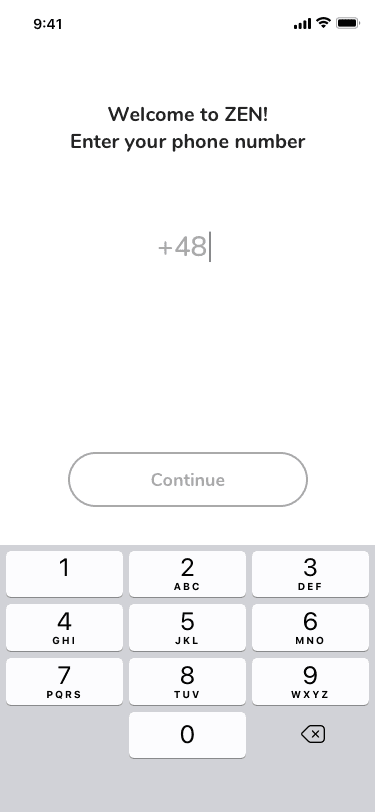
2. Phone number input (The user provides a phone number that will be used for future logins. The input supports country prefixes, numeric keyboards, and editable values.)

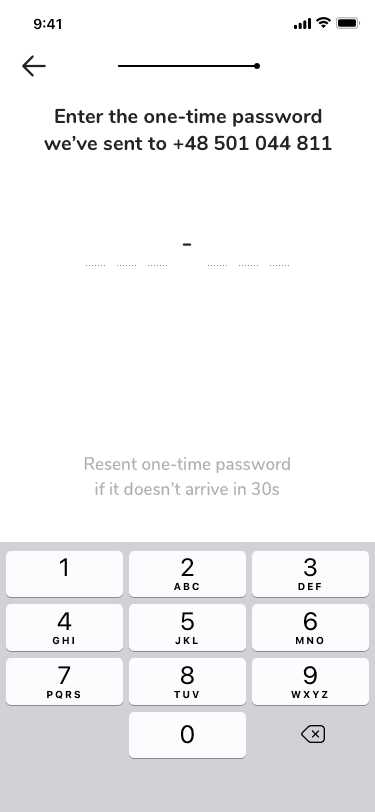
3. One-time password (OTP) verification (A 6-digit code is sent via SMS. The interface supports auto-focus, resend logic with a countdown timer, and accessible error handling.)

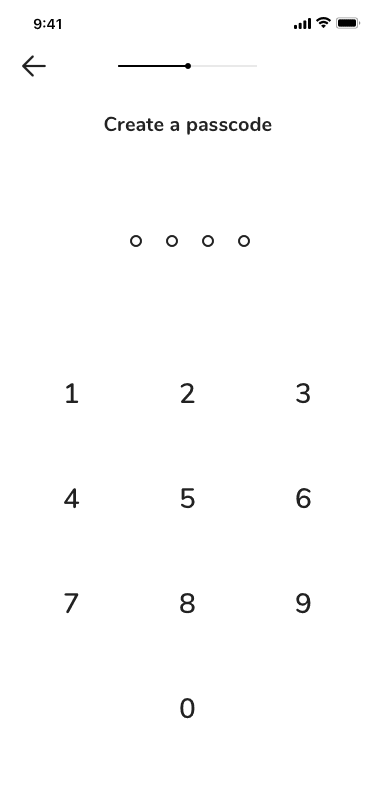
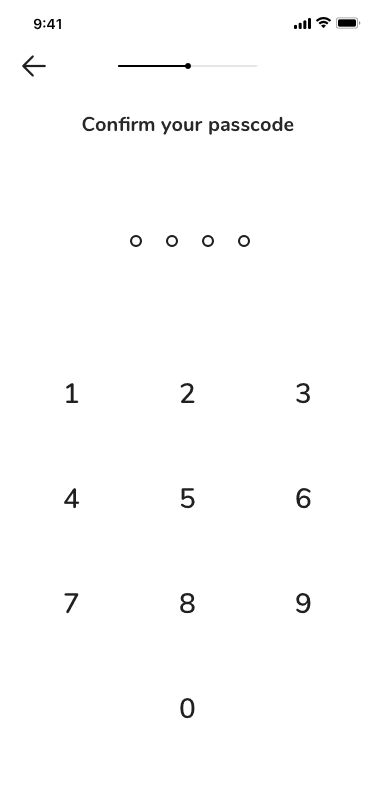
4. Personal access code setup. The user defines a 4-digit personal access code for future logins. The flow avoids premature submission and provides clear confirmation before continuing.

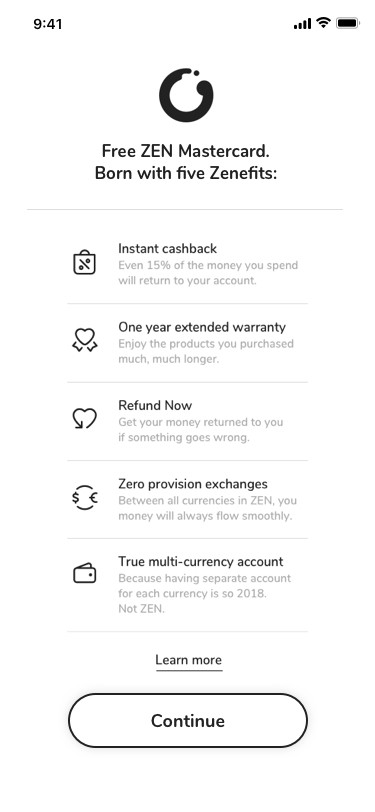
5. Checkpoint confirmation. A short system message confirms that access has been successfully set up and introduces the next phase of onboarding.

Design approach

Why this onboarding is not AI chat-based.
Because: sensitive data, enterprise trust, compliance, predictability.

I designed the flow as a step-by-step system interaction, using clear system language instead of marketing copy. Each screen focuses on a single task, with consistent layout, predictable actions, and explicit feedback.

Key decisions:

• Neutral, system-led narration to reduce cognitive load
• Clear separation between input, verification, and confirmation
• Inline reassurance for security without interrupting the flow
• Keyboard-aware layouts optimized for one-handed mobile use

Design outcome

• Clear and calm access setup experience

• Reduced uncertainty during verification

• Strong sense of security without visual noise

• Smooth transition into company onboarding
Accessibility

The entire flow was designed to comply with WCAG 2.1 AA:

All inputs include clear textual labels and instructions

No information is conveyed by color alone

Touch targets meet minimum size requirements

Focus order and keyboard interactions are predictable

Time-based elements (OTP resend) do not block user progress

Santander

Zen.com

BMW

Ferrero

Wedel

Sector 3.0

Samsung

WWF

The 3E System

Procter & Gamble

Credit Agricole

Santander

Zen.com

BMW

Ferrero

Wedel

Sector 3.0

Samsung

WWF

The 3E System

Procter & Gamble

Credit Agricole

Santander

Zen.com

BMW

Ferrero

Wedel

Sector 3.0

Samsung

WWF

The 3E System

Procter & Gamble

Credit Agricole

© 2025 Made with 🩶 by Katarzyna Bobrowska

© 2025 Made with 🩶 by Katarzyna Bobrowska

© 2025 Made with 🩶 by Katarzyna Bobrowska

Competitive & User Audit

Competitive & User Audit. We peered over the fintech fence at Revolut, Wise, and Payoneer. Their layout formula? Hero → Key Benefit → Social Proof

Build instant trust: License badges, press logos, encryption icons = the tuxedo of UX credibility.

Context

Business users need to set up account access quickly, but the process often involves sensitive data such as phone numbers, one-time passwords, and personal access codes.

The challenge was to design an onboarding flow that feels secure, calm, and trustworthy, while remaining fast and easy to complete on mobile.

Key problems to solve:

• Users are asked to provide sensitive data early in the onboarding
• OTP flows introduce uncertainty and waiting time
• Mobile keyboards reduce available screen space
• Business users expect clarity, not persuasion
• The flow must meet accessibility and compliance requirements

Create a free website with Framer, the website builder loved by startups, designers and agencies.